
Crew App Development Course
This course teaches you how to design and build mobile apps that make life and work on board easier. You will learn the requirements of crew apps, how to choose between iOS, Android and cross-platform development, which features matter most, from shift planning and messaging to task tracking and wellbeing, how to design interfaces for demanding shipboard conditions, how to add geolocation, real-time communication and emergency functions, and how to prototype and test a working app.
Prior knowledge check
These are the skills this program gives you. Tick the ones you already master and we will tell you which part of the syllabus is for you.
You are starting from scratch in this subject. The program is designed precisely for that.
What is the Crew App Development Course?
This short course prepares you to develop mobile applications for crews, from the first idea to a tested prototype. You will study the objectives and benefits of crew apps, specific requirements such as rota management, task tracking, wellbeing and communication, mobile platforms and cross-platform frameworks such as React Native and Flutter, UI and UX for crew members, scheduling and shift tools, internal messaging and push notifications, checklists and daily reports, wellbeing tools, integration with ERP and CRM systems, interface design for high-stress, low-light environments, geolocation, onboard sensors, voice and video calls and emergency functions.
What sets this course apart: every topic is framed around real crew needs rather than generic app development; usability in the shipboard environment, including small screens, gloves and poor lighting, is treated as a design requirement from the start; the course covers integration with existing company systems; and it ends with a final project in which you design, prototype, test and present a functional crew app.
Program highlights
- Crew-centered requirements: rotas, tasks, wellbeing and communication.
- Cross-platform development: iOS and Android with React Native or Flutter.
- Key features: shift planning, chat, push alerts, checklists and reports.
- UX for ships: simple, accessible interfaces for low light and high stress.
- Advanced functions: geolocation, real-time communication and emergency tools.
- Applied project: concept, prototype, usability testing and presentation.
Syllabus of the Crew App Development Course
5 modules. Select a module to see its content.
Introduction to app development for crews and resource management
- 1.1. Fundamentals of mobile app development for crews: objectives, benefits and areas of application
- 1.2. Specific requirements for crew apps: rota management, task tracking, wellbeing and communication
- 1.3. Mobile platforms: iOS, Android and cross-platform development (React Native, Flutter)
- 1.4. Designing user-friendly interfaces: UI and UX for crew members, ease of use and accessibility in difficult conditions
- 1.5. Integration of crew-specific features: calendars, notifications and task lists
Key features in crew apps
- 2.1. Rota and shift management: planning of working days, rest periods and coordination of working hours
- 2.2. Internal communication: real-time chat, alerts, push notifications and collaborative tools for the crew
- 2.3. Task and operations tracking: task allocation, activity logs, checklists and daily reports
- 2.4. Wellbeing tools for the crew: health tracking, stress management and rest reminders
- 2.5. Integration with internal management systems: ERP, CRM and other systems relevant to vessel operations
User interface design and development for crew members
- 3.1. Interface design principles for crews: simple, effective design for high-stress working environments
- 3.2. Design patterns for crew apps: navigability, accessibility and speed of interaction
- 3.3. Adapting to different devices and screens: smartphones, tablets and other devices used on board
- 3.4. Graphic elements that make interaction easier: icons, colors and suitable text sizes
- 3.5. Optimizing the interface for extreme conditions: visibility in low light and robust touch interaction
Integration of advanced features: geolocation and real-time communication
- 4.1. Use of geolocation: real-time maps to monitor crew positions and movements
- 4.2. Integration of GPS and onboard sensors: tracking the location of crew members and resources on the vessel
- 4.3. Real-time communication: chat, voice calls and video conferencing within the app
- 4.4. Push notifications: automatic alerts for scheduled events, shift changes and emergencies
- 4.5. Emergency and incident management functions: panic buttons, safety protocols and location
Final project and evaluation of crew apps
- 5.1. Design of a functional crew app: concept development, identification of key features and structure
- 5.2. Prototype development: building the first version of the app with basic features and interface design
- 5.3. Implementation of advanced features: geolocation, real-time communication and management tools
- 5.4. App testing: functional testing, usability testing with end users and bug fixing
- 5.5. Final project presentation: presentation of the prototype to a panel, demonstration of its features and functions
Duration and format of the Crew App Development Course
It is 300 hours. Tell us how many you can study each week and we will tell you when you will really finish.
This is the pace at which most students finish. It fits well with the installment plan.
Academic leadership and faculty
The Navalis teaching team: working professionals who teach and supervise the programs.
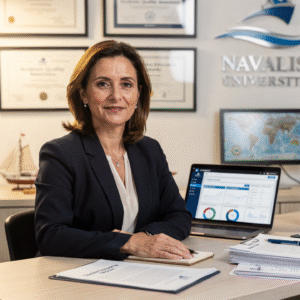 Dr. Marina AlcoverAcademic Director and Head of Quality Assurance
 Eng. Diego CifuentesSenior Lecturer in Naval Welding and Non-Destructive Testing; Head of QA/QC for Welded Joints
 Capt. Javier Abaroa (MCA)Senior Lecturer in Ship Handling, Electronic Navigation (ECDIS/Radar/ARPA) and GMDSS; STCW Compliance and Bridge Resource Management Coordinator
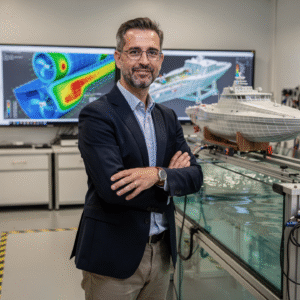 Dr. Pau FerrerSenior Lecturer in Naval Architecture and Simulation; Director of the Hydrodynamics and CFD Laboratory
 Dr. Nuria LlobregatSenior Lecturer in Marine Meteorology, SAR and Operational Safety; Navigation Risk Management Coordinator
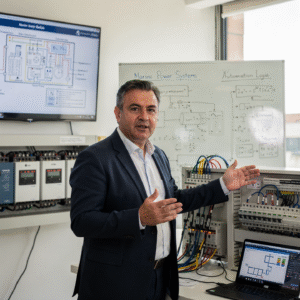 Eng. Javier BañulsSenior Lecturer in Electrical Engineering, Automation and ETO Engineering; Electronic Integration and Engine Alarms Coordinator
 Eng. Sofía MarquinaSenior Lecturer in Materials, Composites and Corrosion Protection; Coordinator of the Advanced Paints and Coatings Line
 Eng. Tomás RieraSenior Lecturer in Propulsion, Alternative Energy and Hybrid Systems; Energy Performance and Vibration Coordinator
Objectives of the Crew App Development Course
Career opportunities after the Crew App Development Course
Questions about the Crew App Development Course
To improve the efficiency and communication of the crew by putting rotas, tasks, messages, documents and alerts in one accessible tool.
Some experience helps, especially for the advanced features, but the course also shows how low-code platforms can be used to build working apps.
The course works with cross-platform frameworks such as React Native and Flutter, which let you target both systems from a single code base.
The course treats shipboard conditions as a design requirement, so you will take the limits of onboard connectivity into account when designing communication, notification and emergency features.
You design and prototype a functional crew app, add advanced features, test it with users and present it with a demonstration of its functions.
Fully online, through a virtual campus available 24/7, with live sessions that are recorded and tutorials with the teaching staff.
The course comprises 300 hours of study across 5 modules of about 60 hours each and ends with an applied project. You can progress at your own pace within the schedule set when you enroll.
More programs in Innovation and startups
Admission process
No waiting for a call back. If your documents are in order, you can enroll in the same session.
- Profile: aimed at merchant mariners and cruise staff who want to improve their onboard tasks and communication, officers and masters interested in managing crews with custom digital tools, shipping and ship management companies, developers interested in the maritime sector, and nautical and naval engineering students; training in software or mobile development and familiarity with a programming language, APIs, databases and version control are recommended, although low-code tools are also introduced.
- Language: sufficient command of English to follow the classes and the technical documentation.
- Technical resources: a computer with a stable internet connection, an up-to-date browser, a development environment such as Visual Studio Code or Android Studio and a smartphone or emulator for testing.
- Admission: online application, review of your profile and a short interview with the academic team.
- 01ApplicationYour details, background and documents.
- 02Instant reviewWe check that everything is complete and in order.
- 03EnrollmentChoose full payment or instalments and reserve your place.
Admission is provisional until the committee validates the documents provided. If you do not meet the requirements, the full amount is refunded.
Ask us before you enroll
Leave your details and admissions will write to you to answer any questions. If you are already sure, you can apply and pay in the same session.