
Photo Editing for Social Media Course
This course shows you how to turn your images into content that stands out. It gives you the essential skills to rise above the flood of posts, from technical optimization to developing a distinctive visual style, and teaches you to use professional desktop and mobile tools and to tell visual stories that connect with your audience.
Prior knowledge check
These are the skills this program gives you. Tick the ones you already master and we will tell you which part of the syllabus is for you.
You are starting from scratch in this subject. The program is designed precisely for that.
What is the Photo Editing for Social Media Course?
This short course covers photo editing specifically for social media, from the first adjustments to a planned, coherent feed. You will study how social editing differs from documentary, commercial, editorial and promotional work, the principles of composition, color and visual hierarchy, and the formats and proportions required for posts, stories, reels, carousels, covers and ads. You will then build an efficient workflow with mobile and desktop tools, master exposure and color correction, develop visual styles with presets, filters and LUTs, retouch portraits and products, and design pieces optimized for each platform.
What sets this course apart: attention to the common mistakes that spoil social images, such as heavy filters, loss of natural look, soft focus and oversaturation; reusable styles that save time without sacrificing creative control; specific approaches for product, food, travel, lifestyle, fashion, events and corporate content; design fundamentals for carousels, stories, thumbnails and banners, with text and brand elements that never overwhelm the photo; and an applied project in which you edit a full series and prepare a visual calendar and publishing proposal.
Program highlights
- Visual foundations: composition, color, contrast and hierarchy for digital images.
- Platform formats: proportions and requirements for posts, stories, reels, carousels and ads.
- Efficient workflow: selection, backup, editing, export and publication on mobile and desktop.
- Color and tone: exposure, highlights, shadows, white balance, saturation and color harmony.
- Visual styles: presets, filters and LUTs, retouching and creative effects without losing realism.
- Social design: carousels, stories, thumbnails and banners with legible text and brand elements.
Syllabus of the Photo Editing for Social Media Course
5 modules. Select a module to see its content.
Foundations of photo editing, digital aesthetics and visual communication for social media
- 1.1. What photo editing for social media is and how documentary, commercial, aesthetic, editorial and promotional editing differ
- 1.2. Principles of composition, framing, visual balance, color, contrast, texture and hierarchy of elements in digital images
- 1.3. Formats, proportions and visual requirements for posts, stories, reels, carousels, covers and ads
- 1.4. Visual identity, feed consistency, personal style, brand tone and visual recognition on social platforms
- 1.5. Common editing mistakes on social media: too many filters, loss of natural look, poor sharpness, inconsistent colors and oversaturation
Editing tools, workflow and preparation of digital images
- 2.1. Mobile and desktop editing apps and software: basic adjustments, presets, layers, masks and automatic tools
- 2.2. Organizing the workflow: selection, backup, rating, editing, export and publication
- 2.3. Essential adjustments: exposure, contrast, highlights, shadows, whites, blacks, clarity, texture and sharpness
- 2.4. Color correction: temperature, tint, saturation, vibrance, selective tones and color harmony
- 2.5. Cropping, straightening, perspective, visual clean-up and removal of distracting elements
Visual styles, presets, retouching and creative editing for social content
- 3.1. Creating visual styles for a niche, audience, personal brand, product or campaign
- 3.2. Using presets, filters, LUTs and reusable adjustments without losing creative control or a natural look
- 3.3. Basic retouching of portraits, skin, hair, clothing, backgrounds and visual details for professional posts
- 3.4. Editing product, food, travel, lifestyle, fashion, event and corporate content
- 3.5. Creative effects: blur, grain, vignettes, double exposure, text, overlays, frames and graphic resources
Designing pieces, carousels, stories and visual content optimized for each platform
- 4.1. Design fundamentals for social images: typography, space, contrast, rhythm and legibility
- 4.2. Creating carousels with a visual narrative, sequence, covers, calls to action and graphic continuity
- 4.3. Designing stories, vertical posts, thumbnails, banners, covers and promotional pieces
- 4.4. Integrating text, icons, stickers, brand elements, backgrounds and graphic resources without cluttering the image
- 4.5. Adapting the same photograph to different formats and platforms while keeping quality and visual consistency
Applied photo editing project for social media
- 5.1. Defining the project: a personal brand, start-up, campaign, portfolio, product, professional profile or themed account
- 5.2. Selecting photographs and analyzing the audience, visual objective, desired style and creative references
- 5.3. Editing a series of images applying technical adjustments, color, retouching, composition and aesthetic consistency
- 5.4. Designing complementary pieces such as carousels, stories, covers or promotional posts
- 5.5. Final export, organization of the visual calendar and an optimized publishing proposal for social media
Duration and format of the Photo Editing for Social Media Course
It is 300 hours. Tell us how many you can study each week and we will tell you when you will really finish.
This is the pace at which most students finish. It fits well with the installment plan.
Academic leadership and faculty
The Navalis teaching team: working professionals who teach and supervise the programs.
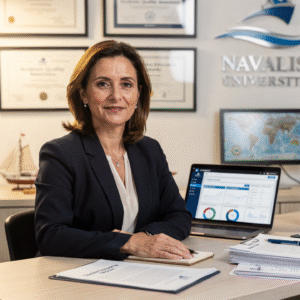 Dr. Marina AlcoverAcademic Director and Head of Quality Assurance
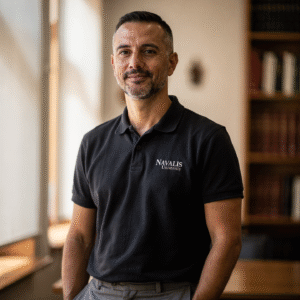 Eng. Diego CifuentesSenior Lecturer in Naval Welding and Non-Destructive Testing; Head of QA/QC for Welded Joints
 Capt. Javier Abaroa (MCA)Senior Lecturer in Ship Handling, Electronic Navigation (ECDIS/Radar/ARPA) and GMDSS; STCW Compliance and Bridge Resource Management Coordinator
 Dr. Pau FerrerSenior Lecturer in Naval Architecture and Simulation; Director of the Hydrodynamics and CFD Laboratory
 Dr. Nuria LlobregatSenior Lecturer in Marine Meteorology, SAR and Operational Safety; Navigation Risk Management Coordinator
 Eng. Javier BañulsSenior Lecturer in Electrical Engineering, Automation and ETO Engineering; Electronic Integration and Engine Alarms Coordinator
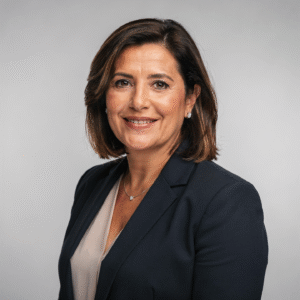 Eng. Sofía MarquinaSenior Lecturer in Materials, Composites and Corrosion Protection; Coordinator of the Advanced Paints and Coatings Line
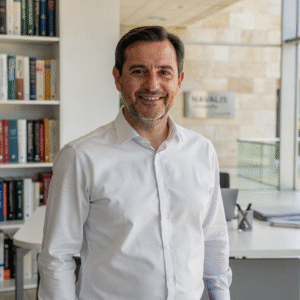 Eng. Tomás RieraSenior Lecturer in Propulsion, Alternative Energy and Hybrid Systems; Energy Performance and Vibration Coordinator
Objectives of the Photo Editing for Social Media Course
Career opportunities after the Photo Editing for Social Media Course
Questions about the Photo Editing for Social Media Course
To improve the quality and visual appeal of your images so that they stand out in the feed, stay consistent with your style or brand and encourage more interaction and reach.
No. Basic photography knowledge and confidence with a phone or camera are enough. The course starts with the essential adjustments and builds up to styles, retouching and design.
Professional desktop software such as Photoshop and Lightroom and mobile editing apps. The techniques are explained so that you can apply them in the tool you prefer.
Yes, most of the course can be followed with mobile apps. Desktop software offers more control for retouching and design, but it is not essential to complete the exercises.
Yes. A full module covers design for social media, including carousels with a narrative sequence, stories, vertical posts, thumbnails and banners, and how to adapt one photo to several formats.
The course looks at the most common mistakes, such as heavy filters and oversaturation, and shows how to use presets and LUTs as a starting point while keeping a natural, consistent result.
Fully online, with content available 24/7, practical exercises and online support so you can study at your own pace.
Through practical exercises in each module and an applied project in which you edit a series of images, design complementary pieces and present a visual calendar and publishing proposal.
More programs in Communication and marketing
Admission process
No waiting for a call back. If your documents are in order, you can enroll in the same session.
- Profile: aimed at entrepreneurs and small business owners, community managers and digital marketing professionals, content creators and bloggers, influencers, and students and photography enthusiasts; basic photography knowledge and confidence with a smartphone or digital camera are enough, no previous editing experience is needed, and familiarity with social networks or mobile editing apps helps.
- Language: sufficient command of English to follow the classes and the technical documentation.
- Technical resources: a computer or mobile device with a stable internet connection and photo editing software or apps; a camera is optional.
- Admission: online application, review of your profile and a short interview with the academic team.
- 01ApplicationYour details, background and documents.
- 02Instant reviewWe check that everything is complete and in order.
- 03EnrollmentChoose full payment or instalments and reserve your place.
Admission is provisional until the committee validates the documents provided. If you do not meet the requirements, the full amount is refunded.
Ask us before you enroll
Leave your details and admissions will write to you to answer any questions. If you are already sure, you can apply and pay in the same session.